How to make a retirement tribute video that tells a whole career: what to include, which photos to collect from coworkers, how long it should run, and how to play it.
The short answer
A retirement tribute video tells the retiree’s story from their first job to their last day in one to three minutes. Collect 15 to 25 photos from work and from home, put them in order from oldest to newest, and end on a photo from this year. Add a one-line greeting, a closing message signed by the team or the family, and one song. Gather the photos quietly through one organizer, then play the video once, after the speeches and before the retiree says a few words.
Most retirement videos are made by a colleague or by the family, often both, with a week or two to pull it together. Unlike a slideshow that loops in the corner, a tribute video is watched once, by everyone at the same moment. The ideas and steps below work with any tool. At the end, we show how to make one with CosmosBites.
What to include in a retirement tribute video
A then-and-now arc: start with the young person on their first job and end with the person leaving today. The change over the years is what the room responds to.
Career photos: first day, team photos, the offices and sites they worked in, awards, the projects people still talk about.
Life photos: a wedding, children, a new home, holidays. A few of these make it a life story, not a résumé.
The people: the colleagues they trained, the managers they outlasted, the team they leave behind.
The team’s words: a greeting at the start and a closing message signed by the people giving the video.
One song that fits the person, and an ending on a recent photo.
Retirement video ideas
First badge to last day: open on their first ID or staff photo and close on a photo from their final week.
One photo per role: a photo for each job title, office or site, so the career reads like chapters.
Work and home together: career photos and family photos in one timeline, from their twenties to the grandchildren.
The people they trained: photos of them with apprentices, new hires and mentees, closing with “Thank you for teaching all of us.”
From the family, for the home party: their parents’ photos of their first job, then decades of family life, ending with the plans for retirement.
A short version to send: 8 to 12 photos, under a minute, for a team chat or an email when the retiree or half the team works remotely.
Which photos to collect
Aim for one or two photos per five years of the career. For a 35-year career, that is about 15 to 20 photos. Keep the retiree’s face clear in every photo: in focus, not tiny in a crowd, and roughly facing the camera. Group photos are fine as long as they are easy to spot.
Getting photos from coworkers without spoiling the surprise
Choose one organizer and one private shared folder, and send the link only to the people who need it, never to a team-wide channel the retiree reads.
Ask long-time colleagues and people who have already left or retired. Old event photos often sit on their phones or in old newsletters.
Ask the communications team for photos from company events, if they can share them.
Ask the family for the early years and the life photos. Each side has what the other doesn’t.
For old prints, ask people to photograph them flat near a window, without flash. Our guide to finding and scanning old photos explains how.
Set a deadline a week before the party, so there is time to sort the photos and fill gaps.
A message like this gets better results than “send photos”:
“We're making a short video for Linda's retirement on the 14th. Could you add one or two photos of her from any year you worked together, where you can see her face clearly? Please add the year if you know it, and one line you'd like her to hear. Upload them to this folder by Friday, and please keep it a surprise.”
Putting the photos in order
Order from oldest to newest, so the room watches the career go by. Use the year in each file name, the date on the back of a print, or clues inside the photo: the office, the team, a haircut. Adults change less from year to year than children, so check the order yourself, especially for photos taken a few years apart. Finish on a recent photo of the retiree, ideally with the current team.
How long should a retirement video be?
Under two minutes is safest. People at a send-off are standing with a drink, and attention drops quickly on a video call.
Colleagues’ messages
Most people want to say something, but not everyone wants to give a speech. Collect one line from each colleague with the photos, then choose where the words go:
In the video: a closing message from the whole team, built from the lines that came up most often.
Read aloud: a colleague reads five or six of the best lines right after the video plays.
In a card or book: every line, printed and signed, for the retiree to read at home.
As recorded clips: if colleagues want to record short video messages, collect them separately and play them after the tribute video, so the photo story stays short.
Lines that sound like real colleagues, for inspiration:
“Thank you for answering the same question from me for six years without once sighing.”
“You taught me how to run a meeting and how to end one on time. Both were rare.”
“The night shift will never have coffee that strong again.”
“Every client asked for you by name. Now we have to learn their names ourselves.”
“Enjoy the mornings. You’ve earned every one of them.”
Greeting and closing message
A short line at the start tells the room what they’re about to watch. A closing message at the end says what the photos can’t. Keep it to one or two lines and sign it from the people giving the video.
Greetings: “35 years of Linda”, “Happy retirement, Dad”, or “From first shift to last: Mike”.
From the team: “Thirty-two years, three offices, one legend. Thank you, from all of us.”
From the family: “You worked hard so we could do what we love. Now it’s your turn. Love, Sam and Mia.”
Light: “The office will be quieter. The golf course won’t.”
Music for a retirement video
Choose a song from the year they started work, the song they always played in the car, or something that suits the mood of the room. Classic choices include “My Way” (Frank Sinatra), “Glory Days” (Bruce Springsteen), “Wind Beneath My Wings” (Bette Midler) and “Here Comes the Sun” (The Beatles). For a laugh, “Hit the Road Jack” (Ray Charles) works with the right crowd. If the video will be posted publicly, use music you have the rights to; platforms may mute or block commercial recordings.
When and how to play it
At the retirement party
Play it once, after the speeches and before the retiree speaks. It warms the room and gives them a moment to collect themselves.
Seat the retiree facing the screen, with their family nearby.
Download the video to the device you’ll play it from. Don’t count on the venue’s Wi-Fi.
Test the sound on the real speakers before guests arrive.
At work
Book the meeting room with the biggest screen for the last afternoon, or play it at the farewell lunch.
Choose Landscape for a meeting-room screen or a projector.
Keep it under two minutes, so people can watch, clap and get back to cake.
On a video call
Share your screen with computer sound turned on: “Share sound” in Zoom, “Include computer sound” in Microsoft Teams, or present a Chrome tab in Google Meet.
Play it from a downloaded file, not from a streaming link inside another stream.
Ask everyone to stay on mute and turn cameras on, so the retiree can see the faces when it ends.
Post the link in the chat right after, so everyone can watch it again in full quality.
Afterwards, send the video to the retiree and their family. It is often the part of the day they keep.
Planning the rest of the send-off
Ask the retiree what kind of send-off they want; not everyone enjoys a surprise.
Keep speeches to two or three people from different chapters of their career, two minutes each.
Set up a small memory table: their first business card, an old badge, a photo from their first year.
Give a gift for the next chapter: lessons for a hobby, a group gift toward a trip, or a framed team photo signed by everyone.
Retiring and turning 60 or 65 in the same year? Our milestone birthday ideas cover the big birthdays, and the same video can do both jobs.
Making the retirement tribute video with CosmosBites
The CosmosBites Growing Up Video is made for this kind of then-and-now: it turns 2 to 80 photos of one person through the years into one video in which each photo grows into the next, in a five-second animated scene.
Add the photos in any order, even in several batches as colleagues send them. It sorts them by age and sets aside copies, photos without people and photos where it can’t find the retiree. You can bring any of them back, and drag any photo to a new place before you create.
Each photo has one main person: a green square marks the retiree, and you can move it or mark them yourself. Colleagues and family around them are matched from photo to photo. Include at least one photo of the retiree alone, such as an ID photo or a portrait at their desk.
JPEG, PNG, WebP and iPhone HEIC photos work, including phone photos of old prints. It animates your photos as they are and doesn’t restore or colorize them.
Choose Landscape for a screen or projector, Portrait for phones, or Square for both. It suggests a shape from your photos and frames each one.
Add an opening (Memory Window, Memory Album or Starlight Frame), a greeting and a closing message, and a song from the Growing Up library, such as the upbeat “A Little Louder” or the heartfelt “These Same Hands”, or upload your own song as an MP3, M4A, WAV, FLAC or Ogg file.
You can change the greeting, the closing message and the music after the video is made, for free.
It works from photos only: it doesn’t record or collect video messages from colleagues, so their words go in the greeting and the closing message, or in the card.
Each animated scene costs 50 credits: every move from one photo to the next, plus the opening if you choose one. A 20-photo video with an opening has 20 animated scenes, so 1,000 credits. The closing is free, and you see the exact price before you create. Every account can make one free Trial video, in which the first two moves are animated so you can see your photos come alive. See credits and plans.
Here is a retirement tribute made this way, for a nurse leaving after 38 years:
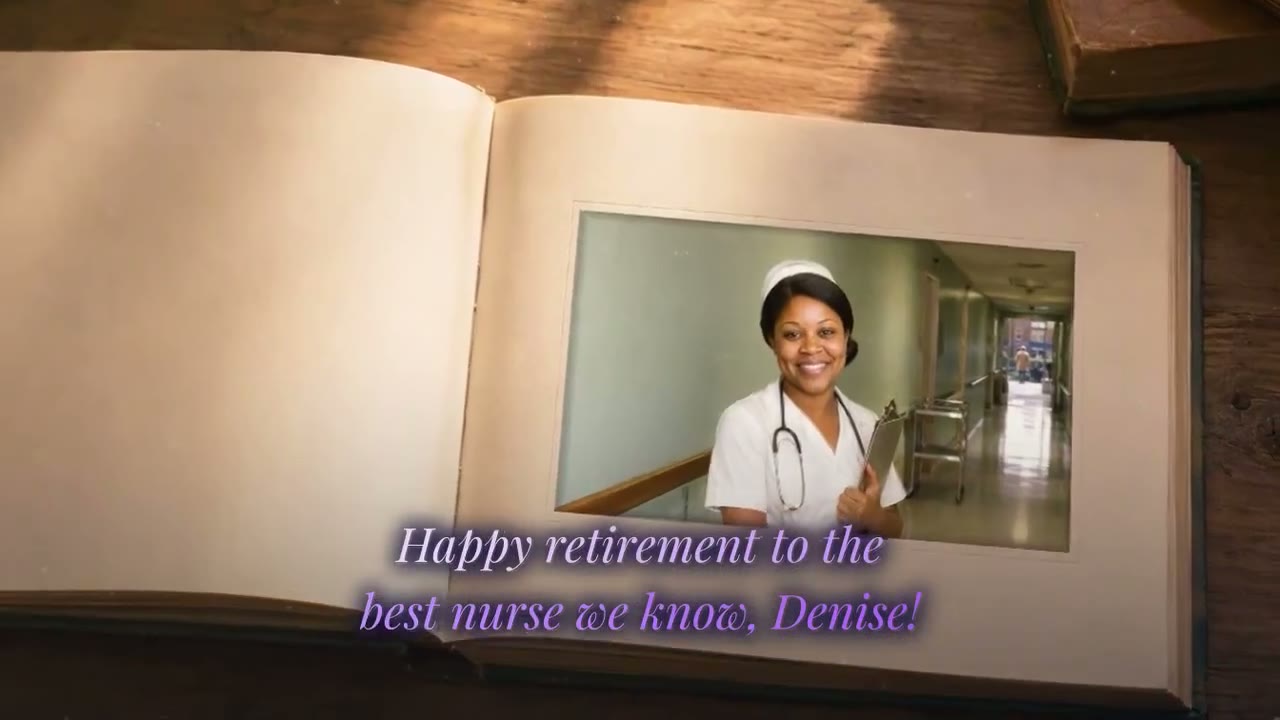
Happy retirement to the best nurse we know, Denise!
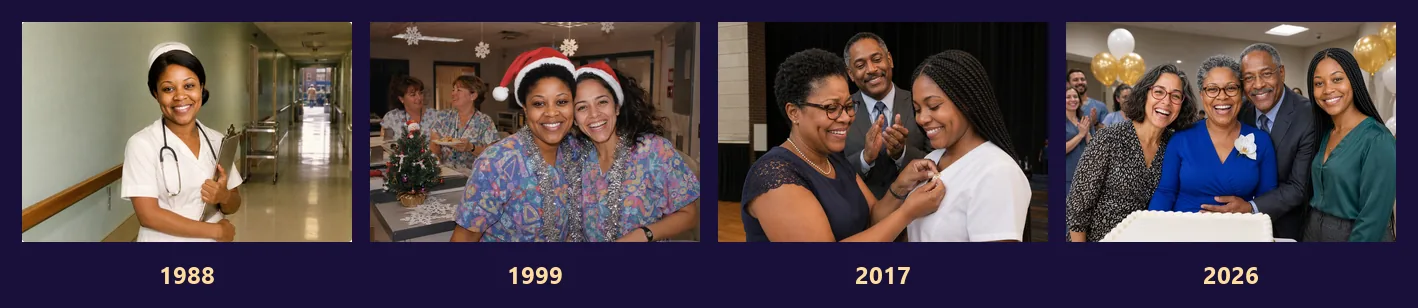
Twelve photos, from Denise’s first day on the ward in 1988 to her retirement party in 2026, through night shifts with her best friend Rosa, her wedding, her students, the pandemic and her daughter’s pinning ceremony. Landscape, 63 seconds, with the Memory Album opening and “A Little Louder”.
See how it was madeOur step-by-step growing up video guide covers order, length and music in more detail, and growing up video vs photo slideshow helps if you’re choosing between a tribute video and a slideshow.
Questions and answers
What should a retirement video include?
Photos from every chapter, in order from the first job to today: early career, the middle years, life outside work, the current team, and a recent photo to finish. Add a short greeting, a closing message from the people giving it, and one song.
How long should a retirement tribute video be?
One to three minutes, and under two for an office send-off or a video call. At about 5 seconds per photo, 20 photos run about 1 minute 45 seconds.
How many photos do I need for a retirement video?
About 15 to 25: one or two for every five years of the career, plus a few from home and a recent photo. Ten good photos are enough for a short version.
How do I collect photos from coworkers without the retiree finding out?
Choose one organizer and one private folder, message colleagues directly instead of in a shared channel, give a clear deadline, and ask for the year and one line with each photo.
How do I play a retirement video on Zoom or Teams?
Share your screen with computer sound on (“Share sound” in Zoom, “Include computer sound” in Teams), play it from a downloaded file, and post the link in the chat afterwards so everyone can watch it again.
Can colleagues be in the photos?
Yes. In CosmosBites, each photo has one main person marked with a green square, and the people around them are matched from photo to photo. Include at least one photo of the retiree alone, and check that colleagues are happy to appear if the video will be shared widely.
Turn your photos into a Growing Up video
Every photo grows into the next, from their first days to today. Every account can create one free Trial video.
Create your Growing Up videoKeep reading